

Dashboard tile on the DBP
Build an investment tile in your own UI — four member states, balances, disclosures, and gain/loss.
Goal. Build a dashboard investment tile in your own UI, showing the member's investment standing at a glance.
Endpoint. Get user detail, one call on dashboard load with the signed-in member's user_account_id, plus the required user_account_id_type query param saying which identifier system it's in (investifi, core, or dbp). Your API key scopes the lookup to your financial institution. A 404 means no investment relationship exists yet, an expected response rather than an error (see State 1).
Fields you'll use
| Field | Type | Used for |
|---|---|---|
user_account_id | string | Echo of the identifier you requested. |
total_current_market_value | decimal string | Headline balance. Sum of current_market_value across all accounts. Parse as a decimal — never cast to float. |
accounts | array | One entry per product the member has been provisioned for. Empty means no product started — see State 1. |
accounts[].product | enum | crypto, securities, robo, roth_ira. Drives the line-item label. |
accounts[].kyc_status | enum | not_started, pending, document_requested, approved, rejected, account_takeover, closed. Distinguishes States 1–3. |
accounts[].kyc_approved_at | ISO 8601 | Present only once kyc_status is approved — check for presence, not for null. |
accounts[].current_market_value | decimal string | Per-product balance, for the breakdown rows in State 4. |
historical_market_value | object | Time-series snapshots for gain/loss, used in State 4 — see below. |
Product display names
| API value | Display label |
|---|---|
crypto | Crypto |
securities | Stocks & ETFs |
robo | Guided Investing |
roth_ira | Roth IRA |
Only render a row for a product actually present in accounts — don't render all four and hide the missing ones.
Disclosures
Four disclosure rules apply across the states below. These are required, not optional: build them into your UI regardless of how you style the tile. InvestiFi provides the approved copy for your financial institution during onboarding; the state mocks below show the placement. Each state notes which lines it needs, so this table is the master reference.
| Disclosure | Required when |
|---|---|
| General | Every tile state — must be present at all times. |
| Securities ("Securities offered by InvestiFi Securities LLC") | A displayed account has product of securities, robo, or roth_ira. |
| Crypto custodian ("Crypto offered by [custodian]") | A displayed account has product of crypto. |
| Quotes delayed up to 15 minutes | A gain/loss indicator is shown (State 4 only). |
Tile states
The tile renders one of four member states. Evaluate top-down — State 4 first, State 1 last — and resolve to the highest state that matches.
State 1 — new member
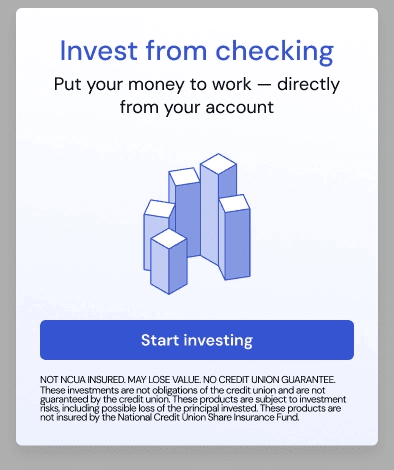
The call returns 404, or 200 with accounts empty or every entry still not_started — the member hasn't begun onboarding for any product.
Build a marketing / "start investing" entry point; there's no balance or account data to show, because none exists. Only the general disclosure applies. Don't surface the 404 as an error state — it's the normal response for most members; suppress the tile or show the get-started entry point instead.
State 2 — setup incomplete
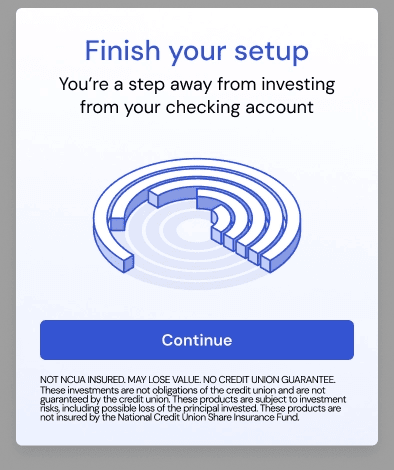
No entry is approved, and at least one entry is pending or document_requested — the member started onboarding but hasn't finished.
Build "finish your setup" messaging with a continue CTA back into onboarding. Don't show a balance for the incomplete product. Only the general disclosure applies.
State 3 — onboarded, not invested
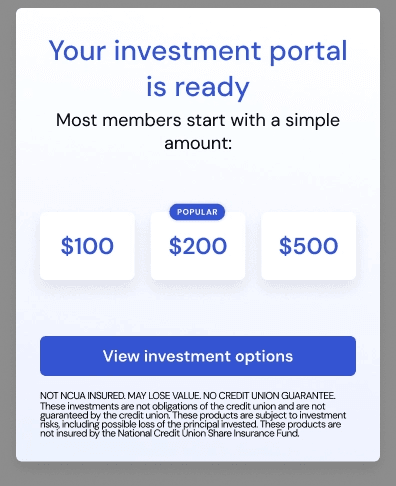
At least one entry is approved, and total_current_market_value is zero — the member has cleared onboarding for at least one product but hasn't funded or invested anything yet.
Build "your investment portal is ready" messaging plus suggested funding amounts. No balance line items, no chart. Only the general disclosure applies.
State 4 — actively invested
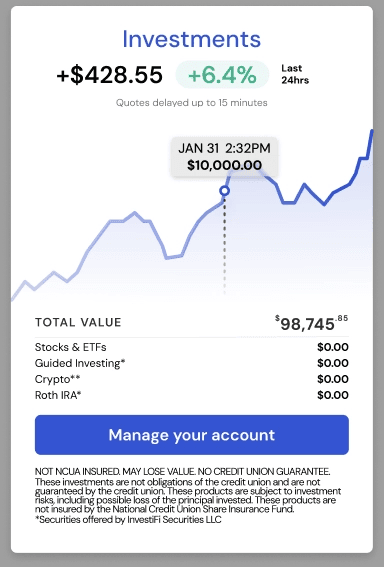
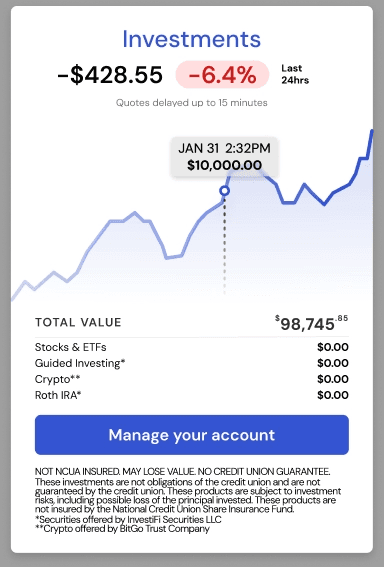
total_current_market_value is greater than zero — the member has at least one funded, invested position.
Build the full tile: headline total_current_market_value, plus one line item per accounts entry labeled per the product map above, plus dollar and/or percent change versus a prior period computed from historical_market_value — see below. This is also the state where the product-specific disclosures apply, and where the quotes-delayed line is required alongside the gain/loss figure.
The historical_market_value object
Returned alongside the other fields in Get user detail. Five arrays, one per lookback window: past_day, past_week, past_month, past_year, all_time — pick whichever matches the period label you want to show. Each array populates as history accrues, so a brand-new member's past_month or past_year may hold only a couple of points at first.
"past_day": [
  { "as_of": "2026-08-06T04:00:00Z", "value": "309.31", "cost_basis": "198.97" },
  { "as_of": "2026-08-06T05:00:00Z", "value": "309.77", "cost_basis": "198.97" },
  { "as_of": "2026-08-06T19:00:00Z", "value": "319.82", "cost_basis": "198.97" }
]| Field | Type | Used for |
|---|---|---|
[].as_of | ISO 8601 | Snapshot timestamp. Plot as_of/value pairs directly for a line chart. |
[].value | decimal string | Portfolio market value at that snapshot. Diff two entries in a window to get that period's gain/loss. |
[].cost_basis | decimal string, nullable | Total contributed as of that snapshot. Diff the latest entry's value against its cost_basis for an all-time unrealized gain/loss instead of a period-over-period one. |
For a "last 24 hrs" badge or sparkline, read past_day and compute:
$ change = latest.value - earliest.value
% change = $ change / earliest.value * 100
Edge cases.
- Terminal KYC states.
rejected,account_takeover, andclosedare not in progress — don't prompt those members to finish setup. Unless another account matches a higher state, fall back to the State 1 entry point. - Missing history.
historical_market_valuecan be absent, and any window array can be empty or hold a single point. Render the balance without a gain/loss badge rather than computing against a missing baseline. - Zero is a string. Market values are decimal strings — compare numerically (
"0"and"0.00"are both zero), never by string equality.
Notes. Market values move during market hours; cache briefly and show an "as of" time if your UX needs it. kyc_approved_at is informational — the state logic only needs kyc_status.